



Published
This banner is the message that is inserted in usermode to secure it.
- Category
- Routers and Switches

Be the first to comment
Up Next
Autoplay
-
18:24

HOW TO CONFIGURE TELNET ON ROUTERS AND SWITCHES
-
09:56
HOW TO CONFIGURE SSH ON ROUTERS AND SWITCHES
-
11:59
How to configure switches and routers?
-
04:16
How to Configure a Custom Banner on the Avaya ERS2500
-
03:01
Configure Login Banner on Cisco Devices (Routers | Switches)
-
04:08
How to Configure a Custom Banner on the Avaya ERS3500
-
00:48
How to Set Banner "MOTD" in CISCO Switches & Routers
-
03:01
Configure Login Banner on Cisco Devices (Routers | Switches)
-
04:14
How to Configure a Custom Banner on the Avaya ERS5000
-
03:25
How to Configure a Custom Banner on the Avaya ERS8800
-
01:59
QSFP28 100G Optical Transceivers in the New Data Center
-
25:20

How much is a 100G QSFP28 transceiver?
-
02:50
How about the feature of QSFP28 QSFP+ SFP+ XFP CWDM DWDM BIDI module? (LD, PD, Tx Power, Rx Sens )
-
02:21
Finisar Demonstrates 100G QSFP28 ER4f Transceiver at ECOC 2017
-
02:12
QSFP28 100G testing between Arista and Huawei
-
01:59
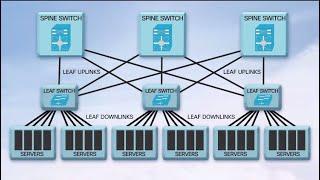
QSFP28 100G Transceivers in the New Data Center
-
04:34
Unboxing and Replace QSFP Broken || JNP QSFP 100G SR4 || SFP Module || Juniper
-
08:25
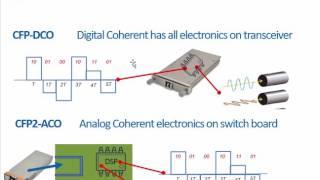
100G Transceivers Development
-
02:07
QSFP28 100G Transceivers: Key Features and Applications
-
04:09

Finisar QSFP28 Family Transceiver Demonstration at OFC 2015

