



Published
Dell Quick Resource Locator video. Get immediate access to detailed how-to videos using your smart phone and a model specific QR code on Dell PowerEdge servers. Be more efficient and effective managing your data center hardware with the information you need, when you need it. http://Dell.com/qrl/
- Category
- Routers and Switches

Be the first to comment
Up Next
Autoplay
-
01:25

Dell Networking N1500: Install in Rack
-
00:34
Dell Networking S5048: Remove/Install Fan
-
01:54
Dell Storage SC7000 Series: Remove/Install HBA (Doubel Riser)
-
00:36
Dell Networking S5048: Remove/Install PSU
-
00:37
Dell Networking S3100: Remove/Install fans
-
00:40
Dell Networking S3048: Remove Install PSU
-
01:04
Dell Networking S3048: Rack Install
-
00:23
Dell Networking Z9100: Remove/Install Fans
-
01:08
Dell Networking S4048: Install to Rack
-
00:27
Dell Networking S3048: Remove Install Fans
-
01:59

QSFP28 100G Optical Transceivers in the New Data Center
-
25:20

How much is a 100G QSFP28 transceiver?
-
02:50
How about the feature of QSFP28 QSFP+ SFP+ XFP CWDM DWDM BIDI module? (LD, PD, Tx Power, Rx Sens )
-
02:21
Finisar Demonstrates 100G QSFP28 ER4f Transceiver at ECOC 2017
-
02:12
QSFP28 100G testing between Arista and Huawei
-
01:59
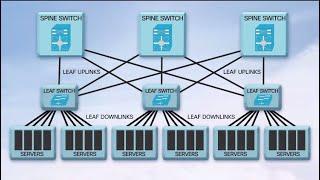
QSFP28 100G Transceivers in the New Data Center
-
04:34
Unboxing and Replace QSFP Broken || JNP QSFP 100G SR4 || SFP Module || Juniper
-
08:25
100G Transceivers Development
-
02:07
QSFP28 100G Transceivers: Key Features and Applications
-
04:09
Finisar QSFP28 Family Transceiver Demonstration at OFC 2015

