



Published
This video shows how to enable the appropriate settings and then create a Problem Report after reproducing a Jabber issue.
- Category
- Cisco Systems

Be the first to comment
Up Next
Autoplay
-
01:40

Create a saved as version of a report
-
05:27
Jabber - Create a Jabber Client Configuration UC Service
-
05:06
Jabber - Upload a jabber-config.xml File to CUCM
-
02:04
Cisco Jabber: Use Jabber on Android Wear
-
05:45
Jabber - Create a Softphone Device on CUCM
-
01:18
Obtaining Jabber Desktop Problem Report
-
05:44
Jabber - Create and Manage Persistent Chat Rooms
-
01:39
The Green Data Center Problem
-
24:16
Mikrotik hEX S - Der Router läuft! Wo lag das Problem?
-
01:11
Cisco Jabber: Use Jabber on Apple Watch
-
01:59

QSFP28 100G Optical Transceivers in the New Data Center
-
25:20

How much is a 100G QSFP28 transceiver?
-
02:50

How about the feature of QSFP28 QSFP+ SFP+ XFP CWDM DWDM BIDI module? (LD, PD, Tx Power, Rx Sens )
-
02:21
Finisar Demonstrates 100G QSFP28 ER4f Transceiver at ECOC 2017
-
02:12
QSFP28 100G testing between Arista and Huawei
-
01:59
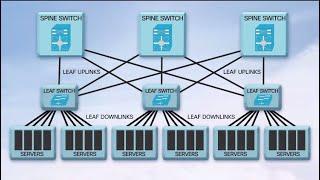
QSFP28 100G Transceivers in the New Data Center
-
04:34
Unboxing and Replace QSFP Broken || JNP QSFP 100G SR4 || SFP Module || Juniper
-
08:25

100G Transceivers Development
-
02:07

QSFP28 100G Transceivers: Key Features and Applications
-
04:09

Finisar QSFP28 Family Transceiver Demonstration at OFC 2015

