


Published
Learn how to configure CLI and SNMP credentials on Cisco DNA Center. This is part 1 of a 4-part series.
For more on Cisco DNA Center, visit http://cs.co/6008D1my8.
View all Cisco DNA Center resource videos here: http://cs.co/6009D15ah.
For more on Cisco DNA Center, visit http://cs.co/6008D1my8.
View all Cisco DNA Center resource videos here: http://cs.co/6009D15ah.
- Category
- Cisco Systems

Be the first to comment
Up Next
Autoplay
-
06:10

Zabbix - Monitor Cisco Switch via SNMP
-
04:04
How to Configure SNMP on an Avaya CS 1000 Call Server Using CLI
-
06:37
How to configure SNMP Agent Management on UCCE
-
03:45
How to Configure QoS in Cisco DNA Center
-
01:42
Cisco Switch - Configure SNMP Version 3
-
03:00
How to Configure Log Collection and Archiving Utility for Avaya Interaction Center
-
02:01
Cisco Switch - SNMP Configuration
-
14:10
LabMinutes# RS0007 - Cisco Router and Switch SNMP Configuration
-
05:51
How to configure SNMP in Cisco IOS devices (Router,Switch) by Haythem BARHOUMI
-
01:45
How to configure SNMP in Cisco IOS devices (Router,Switch)
-
01:59
QSFP28 100G Optical Transceivers in the New Data Center
-
25:20
How much is a 100G QSFP28 transceiver?
-
02:50
How about the feature of QSFP28 QSFP+ SFP+ XFP CWDM DWDM BIDI module? (LD, PD, Tx Power, Rx Sens )
-
02:21
Finisar Demonstrates 100G QSFP28 ER4f Transceiver at ECOC 2017
-
02:12
QSFP28 100G testing between Arista and Huawei
-
01:59
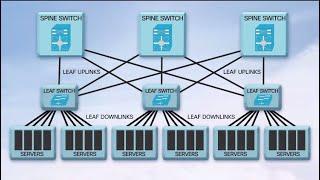
QSFP28 100G Transceivers in the New Data Center
-
04:34
Unboxing and Replace QSFP Broken || JNP QSFP 100G SR4 || SFP Module || Juniper
-
08:25
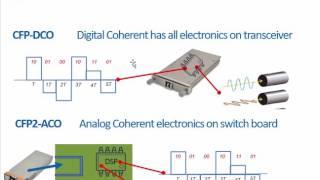
100G Transceivers Development
-
02:07
QSFP28 100G Transceivers: Key Features and Applications
-
04:09
Finisar QSFP28 Family Transceiver Demonstration at OFC 2015

