



Published
This video demonstrates the method to create Agent screen and how to use the different options to edit the field attributes. Produced by Sachin Bramhe.
- Category
- Routers and Switches

Be the first to comment
Up Next
Autoplay
-
03:56

Avaya - The Future of Customer Experience: Agent Experience
-
01:38
Help Desk Agent Voicemail Password Reset for Avaya Aura Messaging
-
03:16
Contact Tracing from Avaya
-
09:07
How to Create Agent Keys using Editor in Avaya Proactive Contact
-
28:32
Webinar Wednesdays: Avaya Agent for Desktop
-
10:12
How to setup Infinite Jobs in Avaya Proactive Contact
-
03:41
Avaya Professional Services: Screen Pop One Pager
-
09:22
How to Use Scheduler in Avaya Proactive Contact
-
02:24
Avaya & Google Cloud Contact Center AI
-
03:03
The Avaya Remote Contact Center
-
01:59
QSFP28 100G Optical Transceivers in the New Data Center
-
25:20
How much is a 100G QSFP28 transceiver?
-
02:50
How about the feature of QSFP28 QSFP+ SFP+ XFP CWDM DWDM BIDI module? (LD, PD, Tx Power, Rx Sens )
-
02:21
Finisar Demonstrates 100G QSFP28 ER4f Transceiver at ECOC 2017
-
02:12
QSFP28 100G testing between Arista and Huawei
-
01:59
QSFP28 100G Transceivers in the New Data Center
-
04:34
Unboxing and Replace QSFP Broken || JNP QSFP 100G SR4 || SFP Module || Juniper
-
08:25
100G Transceivers Development
-
02:07
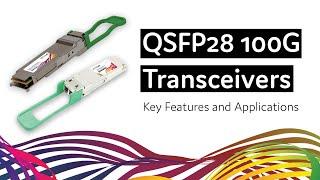
QSFP28 100G Transceivers: Key Features and Applications
-
04:09
Finisar QSFP28 Family Transceiver Demonstration at OFC 2015

