



Published
Learn MikroTik RouterOs Tutorial Series (english)
In this tutorial, I will show you some of the techniques that can be used to monitor and track your network traffic.
In this tutorial, I will show you some of the techniques that can be used to monitor and track your network traffic.
- Category
- Mikrotik

Be the first to comment
Up Next
Autoplay
-
12:19
![Test if Your Wireless Network Adapter Supports Monitor Mode & Packet Injection [Tutorial]](https://www.networkingtransceivers.com/templates/apollo/img/melody-lzld.png)
Test if Your Wireless Network Adapter Supports Monitor Mode & Packet Injection [Tutorial]
-
09:36
Blocking Netflix traffic using MikroTik RouterOS
-
02:06
Success Track for Campus Network Overview – CX Backstage
-
10:31
How to monitor each person's Internet traffic usage with Mikrotik router
-
03:53
How to monitor others using the Internet on Mikrotik router
-
06:35
MikroTik Tutorial 73 - Monitor network traffic using Traffic Monitor
-
07:06
MikroTik Tutorial 38 - Virtual Local Area Network (VLAN) Basics
-
03:05
MikroTik Tutorial 91 - Turn your router into a network switch
-
04:05
How to monitor Internet usage per IP with Mikrotik router
-
24:44
Prioritize Zoom Traffic using MikroTik RouterOS
-
01:59

QSFP28 100G Optical Transceivers in the New Data Center
-
25:20

How much is a 100G QSFP28 transceiver?
-
02:50
How about the feature of QSFP28 QSFP+ SFP+ XFP CWDM DWDM BIDI module? (LD, PD, Tx Power, Rx Sens )
-
02:21
Finisar Demonstrates 100G QSFP28 ER4f Transceiver at ECOC 2017
-
02:12
QSFP28 100G testing between Arista and Huawei
-
01:59
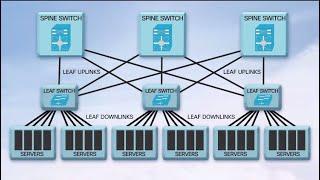
QSFP28 100G Transceivers in the New Data Center
-
04:34
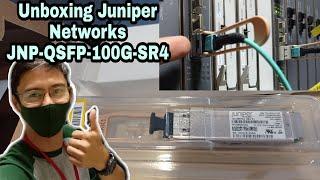
Unboxing and Replace QSFP Broken || JNP QSFP 100G SR4 || SFP Module || Juniper
-
08:25
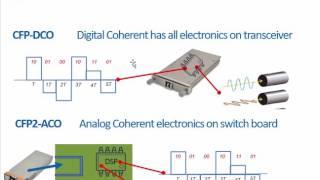
100G Transceivers Development
-
02:07
QSFP28 100G Transceivers: Key Features and Applications
-
04:09
Finisar QSFP28 Family Transceiver Demonstration at OFC 2015

